What’s inside
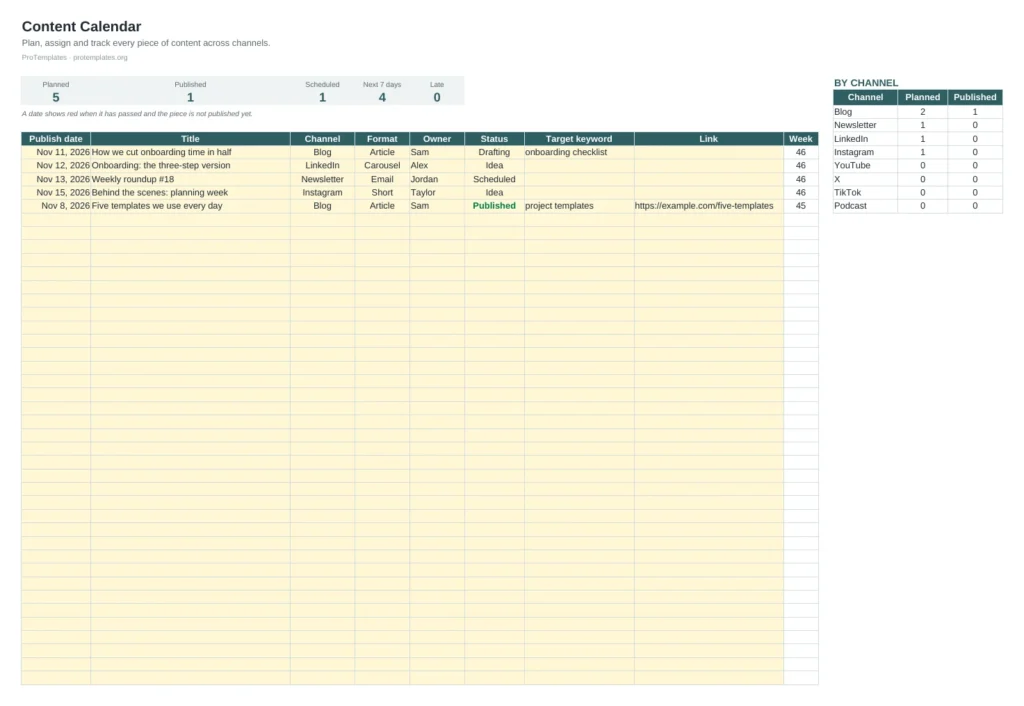
- Content list for up to 150 pieces
- Channel, format and status dropdowns
- Late items highlighted in red
- Counts of planned, scheduled, published and upcoming items
- Planned and published totals by channel
How to use it
- Add each piece with its publish date, channel, format and owner.
- Move the status along as work progresses.
- Add the live link once published.
- Review late items and the next seven days each week.
FAQ
Can I add my own channels?
Yes. Edit the channel list on the right and update the dropdown to match.
How far ahead should I plan?
Many teams plan four to six weeks ahead and leave room for timely pieces. The calendar works for any horizon.
What is the Week column for?
It shows the week number so you can sort or filter by week when planning.