What’s inside
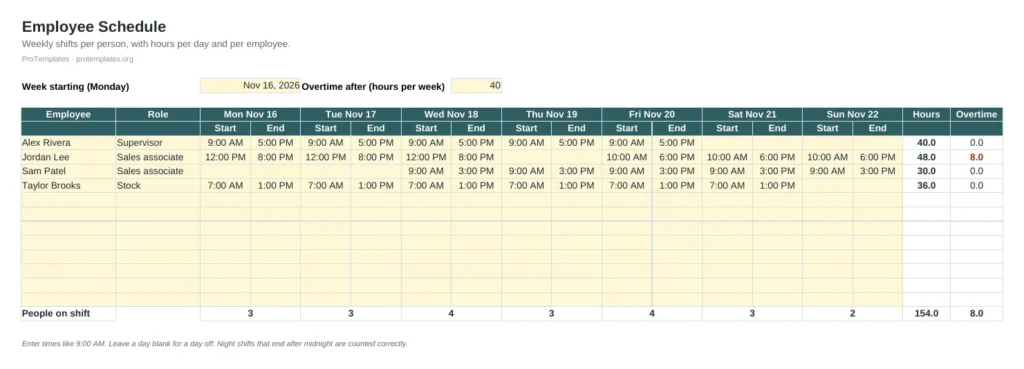
- Weekly grid with start and end time per day for up to 12 people
- Day headers that update from the week start date
- Weekly hours and overtime per employee
- People on shift per day
- Overtime highlighted in red
How to use it
- Set the Monday that starts the week.
- List each employee and role.
- Enter start and end times for every shift; leave days off blank.
- Check overtime and daily coverage, then share or print the schedule.
FAQ
How do I schedule the next week?
Duplicate the tab and change the start date. The day headers and totals update on their own.
Does it subtract breaks?
No, it counts the time between start and end. For paid hours with breaks, use the timesheet template.
Can I change the overtime threshold?
Yes. Set your own weekly limit in the cell next to Overtime after.